AI-powered Jira triage
agent. Self-hostable.
Tansaku watches your Jira project, analyzes new issues with Claude AI, writes technical comments, and asks you to assign via Telegram or Slack — with inline buttons.
Fetch new issues
Queries your Jira project on a schedule (GitHub Actions cron or self-hosted cron) for issues created in the last 2 hours that haven't been processed yet. Idempotent — skips issues with the ai-intake label.
Search Confluence (optional)
Extracts keywords from the issue description and searches your Confluence spaces for related documentation. Feeds relevant pages into the AI context.
Analyze with Claude AI
Sends the issue details to Claude via Anthropic API (or AWS Bedrock). The AI identifies affected components, estimates complexity, and drafts implementation steps using a tool_use agentic loop.
Write analytical comment
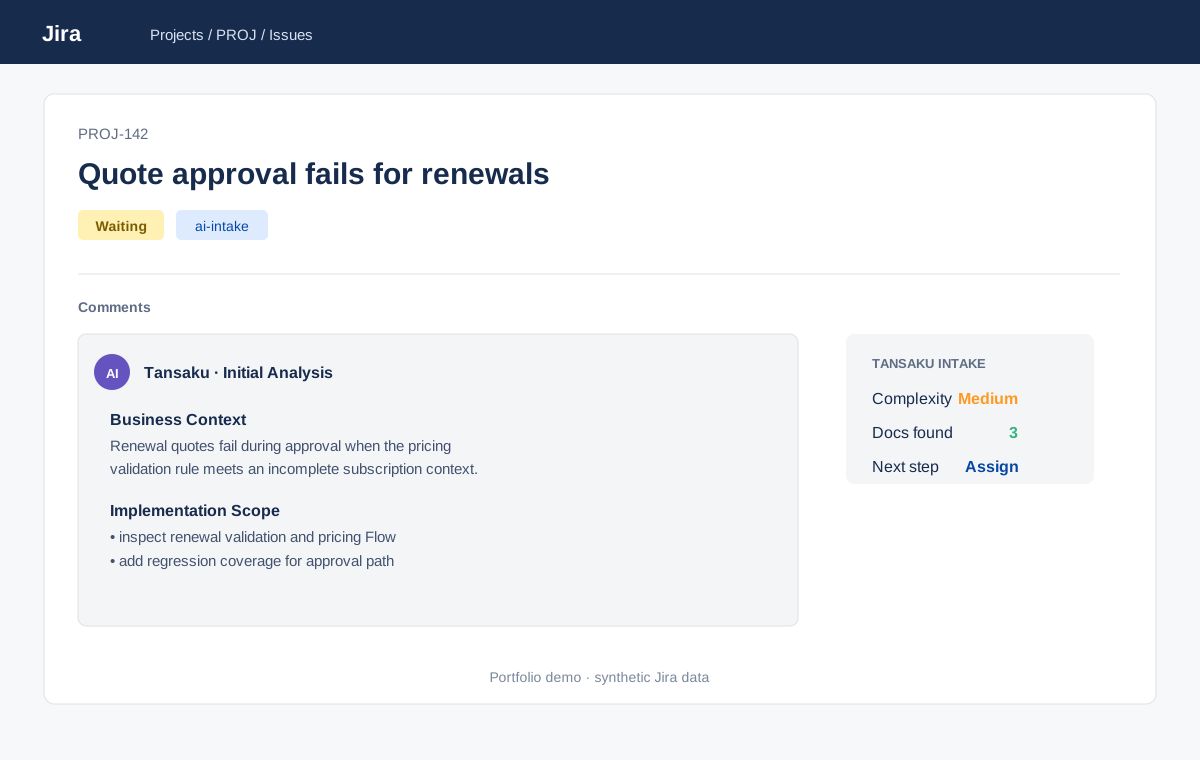
Posts a structured comment to the Jira issue: business context, affected objects/classes, implementation scope, complexity estimate. Marked with a configurable [AI] prefix to distinguish from human comments.
Transition to Waiting + label
Moves the issue to your configured Waiting status and applies the ai-intake label. Transition IDs are fully configurable in config.yaml.
Notify with assignment buttons
Sends a Telegram or Slack message with a summary and inline buttons — one per team member. You tap a name; Tansaku assigns the issue and moves it to In Progress. Zero manual Jira clicks.
Up and running in minutes
$ git clone https://github.com/pawellach/tansaku && cd tansaku
$ pip install -r requirements.txt && pip install -e .
# 2. Configure
$ cp config.example.yaml config.yaml
# Edit config.yaml — set Jira URL, project key, API keys
# 3. Verify connections
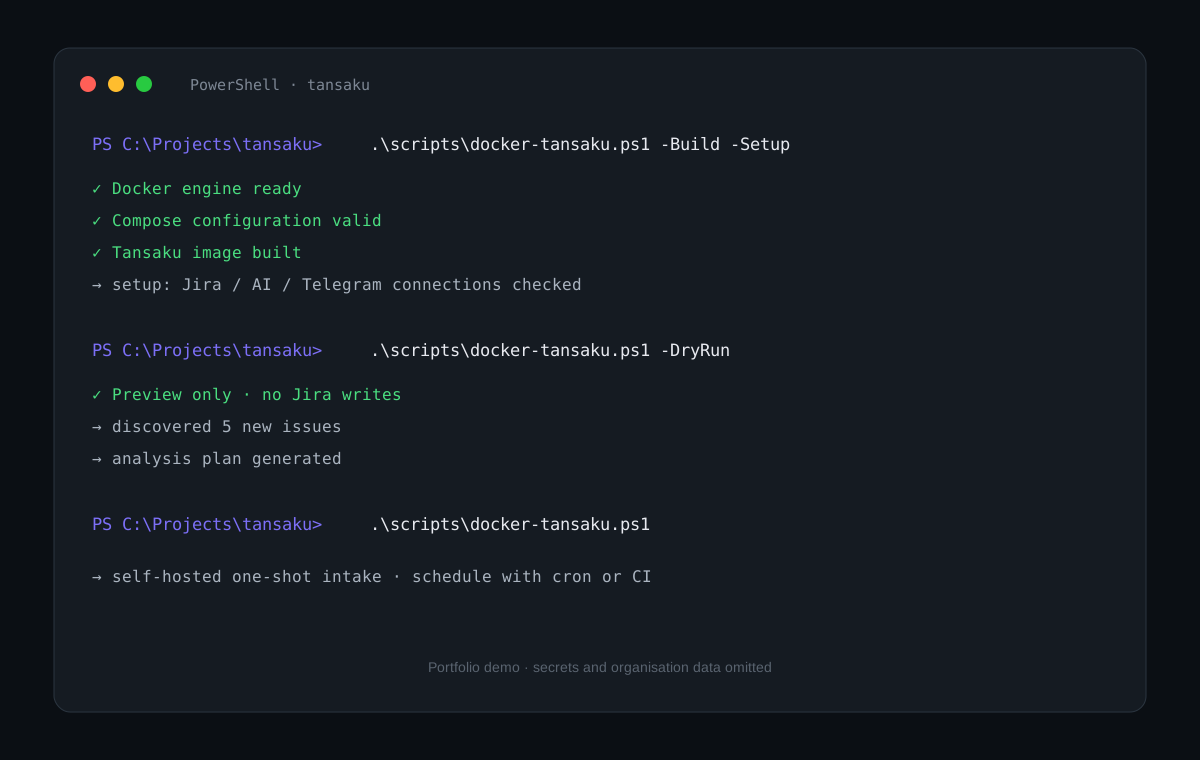
$ tansaku setup
✓ Jira connected (42 open issues in PROJ)
✓ Anthropic API reachable
✓ Telegram bot active
# 4. Run (dry-run first)
$ tansaku run --dry-run
→ found 3 new issues, analysis preview below...
$ tansaku run
✓ processed PROJ-231 → Waiting, notification sent
🐙 GitHub Actions recommended
Fork the repo, add 3 secrets, done. Runs Mon–Fri on schedule.
JIRA_API_TOKEN
ANTHROPIC_API_KEY
TELEGRAM_BOT_TOKEN
TELEGRAM_CHAT_ID
🖥️ Any server / shared hosting
One-line install, then add to cron.
$ curl -sSL .../install.sh | bash
# Add to crontab
3 9,11,13,15 * * 1-5
cd /path/to/tansaku && tansaku run
Assign issues from your phone
Telegram
Create a bot via @BotFather in 5 minutes. No server needed — polling mode works anywhere.
- Inline keyboard buttons
- Works in private chat or group
- Polling — no public URL required
- Invite team members to group
Reporter: Alice Chen · Complexity: Medium
Affects:
PaymentService.cls, CheckoutControllerScope: check timeout config + retry logic
Slack
Post to any channel with Block Kit buttons. Polling mode — no Slack Events API server required.
- Block Kit interactive buttons
- Post to any channel or DM
- Works on free Slack workspaces
- Polling via conversations.replies
notification:
channel: "slack"
slack:
bot_token: "${SLACK_BOT_TOKEN}"
channel: "#intake"
From intake to UAT handoff
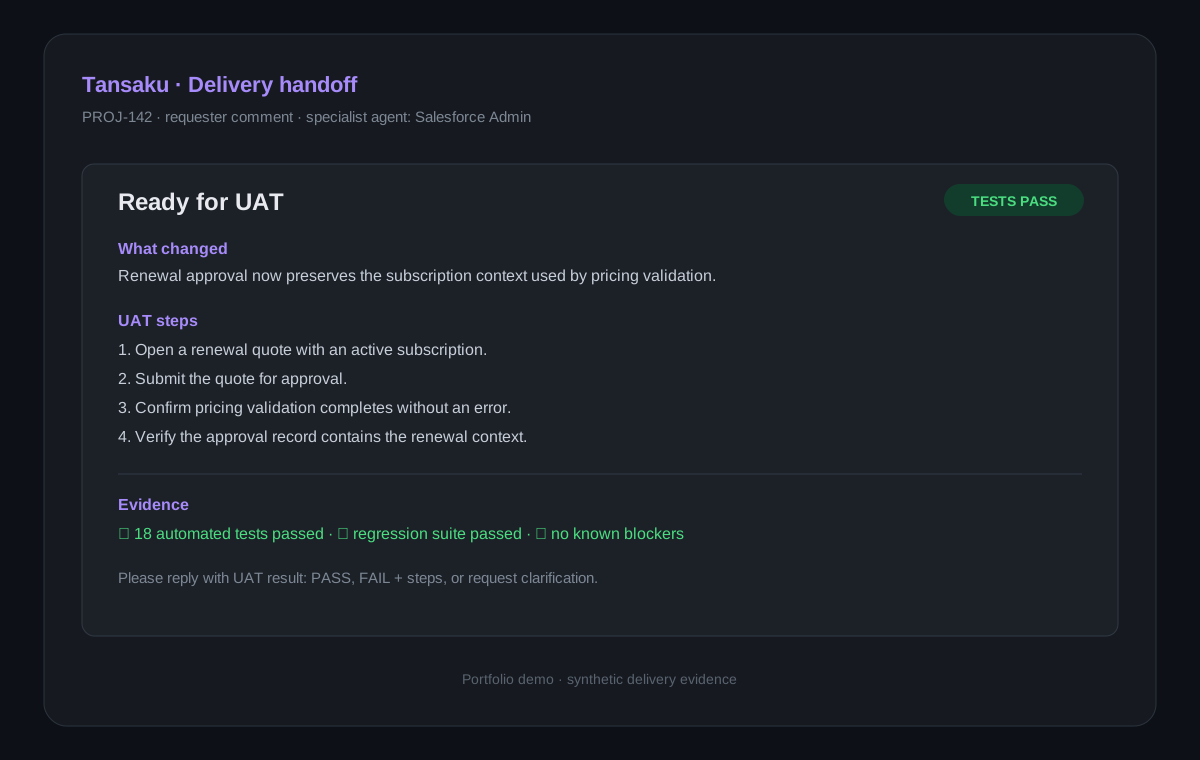
These views show the complete delivery loop: AI analysis in Jira, human-readable UAT instructions, and a low-friction self-hosted Docker path.
One YAML file, everything configurable
jira:
  base_url: "https://yourcompany.atlassian.net"
  email:    "you@company.com"
  api_token: "${JIRA_API_TOKEN}"    # env var — never hardcode
  project:  "PROJ"

anthropic:
  api_key: "${ANTHROPIC_API_KEY}"
  model:   "claude-opus-4-5-20251101"

notification:
  channel: "telegram"           # "telegram" | "slack" | "none"
  telegram:
    bot_token: "${TELEGRAM_BOT_TOKEN}"
    chat_id:   "${TELEGRAM_CHAT_ID}"

intake:
  auto_close_days: 5
  max_batch:       5
  label:           "ai-intake"
  language:        "en"   # "en" or "pl"
  transitions:
    waiting:     "41"
    in_progress: "21"
    rejected:    "61"

confluence:
  enabled: true
  spaces: ["PROJ", "ENG"]

knowledge_base: "./knowledge-base.json"  # optional domain rules
team:           "./team.json"             # optional assignee map
Ready to automate your Jira triage?
Open source. Self-hostable. Works with any Jira Cloud instance.